BLOG

Tali AI Product Team
January 8, 2026


Tali’s mobile app is simple but powerful: it listens to your conversation with your patient and generates the note, just like on your computer. Give yourself the flexibility and efficiency that only a mobile device can provide. Here’s how:
Step 1: Create your Tali account on our website. If you have one already, then you’re set. Move on to Step 2!
Step 2: Download the app and install it on your phone. Use the QR code below to find the mobile app in your device’s app store, or just click here for Android or click here for Apple / iOS.

QR Codes for Android and iOS
Step 3: Open the app and login to your Tali account, using the same email address you used when creating the account on our website.

Login
Step 4: Enable Microphone Permissions
When prompted to do so, click ‘OK’ to allow Tali to use your device’s microphone.
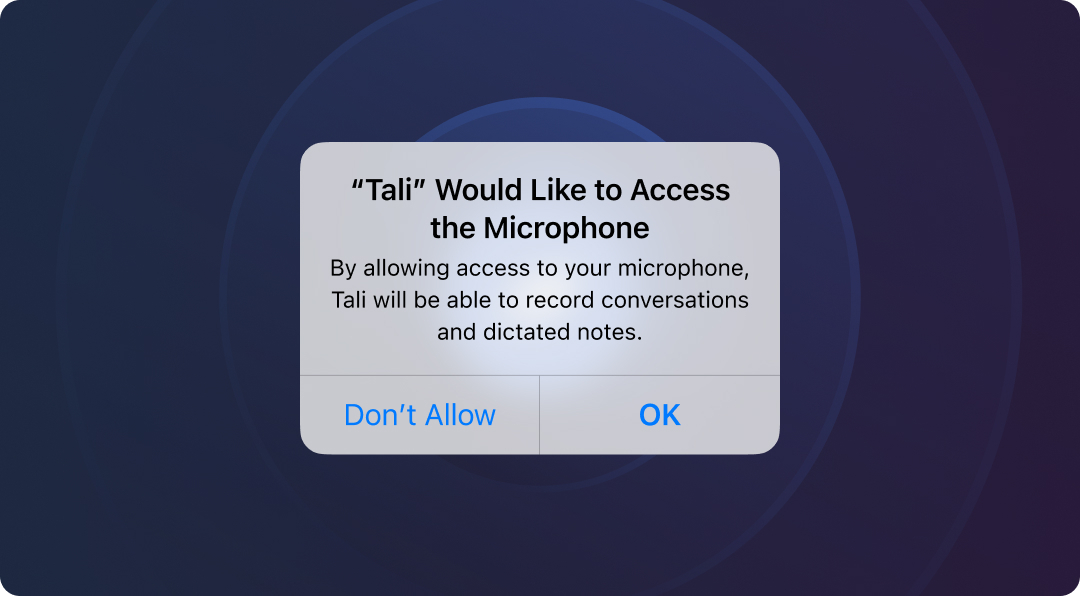
Say OK!
Step 5: Talk!
Use the mobile app to record a patient visit, clicking ‘Done’ when the visit is over.

Just Talk
Step 6: Paste the Note into your EHR
Log into Tali on your computer to paste the note into your EHR.

Copy your notes into your EHR
Try it today!
We’d love to hear from you, please tell us what you think by using the feedback button in Tali or emailing help@tali.ai.
Experience the future of healthcare documentation with Tali's AI-powered solutions.
Related Articles


Research
January 8, 2026
1
Research
January 8, 2026
1
Research
January 8, 2026
1